

Introduction: Start Your Hive OS Mining Journey
Hive OS mining provides an all-in-one solution for managing, monitoring, and optimizing cryptocurrency mining operations. Whether you’re a beginner with a single rig or an experienced miner managing multiple GPUs, Hive OS simplifies the process and improves efficiency.

In this guide, you’ll learn step-by-step how to install Hive OS, create your account, configure your mining rig, set up flight sheets, optimize GPU performance, and monitor your mining operation for maximum profitability. By the end of this guide, you’ll be ready to start mining cryptocurrencies like Ethereum Classic (ETC), Ravencoin (RVN) or Monero (XMR) with confidence.
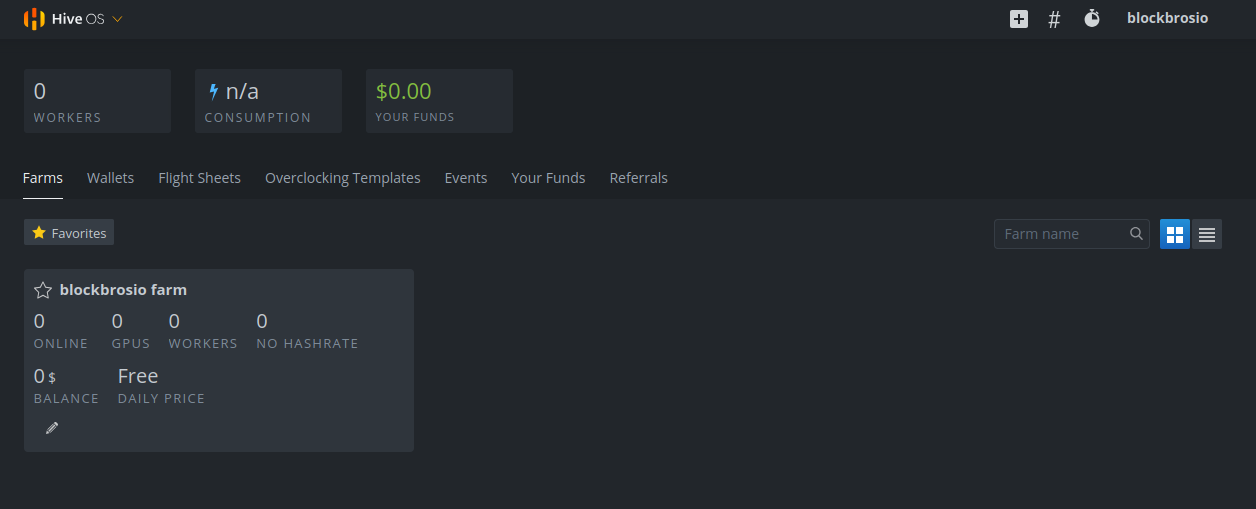
What is Hive OS and Why Use It?
Hive OS is a Linux-based operating system designed specifically for cryptocurrency mining.
Key Features
- Monitoring multiple rigs remotely
- Tracking GPU temperatures, hash rates, and power consumption
- Optimizing mining performance through overclocking and fan control
- Switching mining algorithms automatically to maximize profitability
- Sending alerts if a rig goes offline or encounters errors
With Hive OS mining, you can manage all your rigs in one place, reducing downtime and improving efficiency.
What You’ll Need for Hive OS Mining
Before starting your Hive OS mining setup, ensure you have:
1. Mining rig or GPU setup – Supports AMD and NVIDIA GPUs
2. USB drive or SSD – At least 8GB (SSD recommended)
3. Stable internet connection – Wired preferred for reliability
4. Crypto wallet – To receive mining payouts
5. Mining pool account – Joining a pool provides consistent rewards

Step 1: Installing Hive OS (Rig Setup Guide)
This is the most important step in Hive OS mining. Follow this official method for GPU rigs (not ASICs).
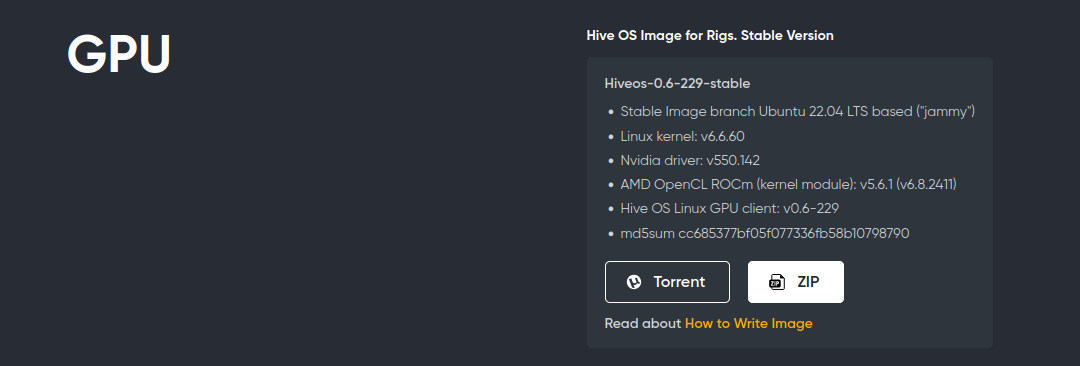
1. Download the Hive OS Image
Visit the official install page: https://hiveon.com/install/
- Download the latest stable Hive OS image (.zip file)
- Extract the file after downloading
2. Flash Hive OS to USB/SSD
Use Balena Etcher or Rufus to flash the Hive OS image onto a USB drive or SSD (minimum 8GB, SSD recommended for better stability)
Follow the installation and flashing guide carefully to avoid issues: Balena Etcher and Rufus Installation and Flashing Guide
3. Configure Your Rig (rig.conf Setup)
Before booting your rig, connect it to your Hive OS account. You have two setup options:
Option A (Recommended – FARM_HASH method):
- Log into your Hive OS dashboard
- Select your farm and create a new worker


- Copy the FARM_HASH from your worker settings
- On your flashed drive, open the
rig.conffile (or rename the example file torig.conf) - Paste your FARM_HASH and save the file
Option B: Manual Setup
- Enter your Worker Name, Password, Farm ID, and FARM_HASH manually in
rig.conf - Save and safely eject your USB or SSD
Suggested Image:
Alt Text: “Editing rig.conf file to connect Hive OS mining rig”
4. Boot Your Rig and Connect to Hive OS
- Insert the USB or SSD into your mining rig
- Boot the rig; Hive OS will start automatically
- Check the Hive OS dashboard to ensure your worker is online
- Troubleshoot any connection issues using the Hive OS logs
5. Setup Flight Sheets
Flight Sheets allow your rig to mine specific cryptocurrencies efficiently.
- Navigate to the Flight Sheets section in your Hive OS dashboard
- Choose a coin, mining pool, and wallet address
- Assign your worker to the flight sheet
- Click Apply and start mining
Pro Tip: Always test your rig with a small hash rate first to monitor stability and avoid hardware stress.
6. Optimize GPU Performance
- Use Hive OS built-in overclocking tools for AMD or NVIDIA GPUs
- Adjust fan speed, power limit, and core/memory clocks for efficiency
- Monitor hash rate and temperature to prevent overheating
7. Monitor Your Mining Operation
- Access Hive OS dashboard remotely via desktop or mobile app
- Track hash rates, power usage, temperatures, and uptime
- Set alerts for offline rigs, hardware errors, or low efficiency
Conclusion: Start Mining Confidently
By following these steps, your Hive OS mining rig will be ready to mine cryptocurrencies like Ethereum Classic (ETC), Ravencoin (RVN), Monero (XMR) and more. Hive OS streamlines management, improves performance, and helps you maximize mining profitability.


